Wednesday, 21 January 2015
Sunday, 18 January 2015
feedback from Dan.
''I'd put you on a low C/D grade as there's a lot of posts that you've missed out and some of the things you've posted are lacking in detail. Please make the effort to catch up! Also, I note that you've made *no* individual posts - I'd recommend that you both get cracking with some individual analysis of title sequences - two from Art of the Tile sequence, and a technical analysis from a favourite film. '
I Agree and the 3 targets I set my self are:
1.Attend workshops to catch up and ask for help.
2.Complete blogging work in DETAIL.
3.Stop being lazy.
I Agree and the 3 targets I set my self are:
1.Attend workshops to catch up and ask for help.
2.Complete blogging work in DETAIL.
3.Stop being lazy.
Wednesday, 7 January 2015
LOCATIONS AND PROPS
we will start the filming in Shoreditch park and from the side roads around it where you will see the protagonists journey from his home to football practice and his problems along the way. We have chosen Shoreditch as its an urban area and represents the struggles young people go through.
Football practice will be held at Power league in Shoreditch where we plan on booking a pitch. We have chosen power league because there are a vast range of outdoor pitches which create a urban yet professional feel.
Our main props will be a football for the protagonist to represent his talent and love for the sport.
We will also use cigarettes and lighters which will be used by Darnell and Samuel to show their delinquency.
Football practice will be held at Power league in Shoreditch where we plan on booking a pitch. We have chosen power league because there are a vast range of outdoor pitches which create a urban yet professional feel.
Our main props will be a football for the protagonist to represent his talent and love for the sport.
We will also use cigarettes and lighters which will be used by Darnell and Samuel to show their delinquency.
COSTUME IDEAS
As a young footballer, our protagonist of the title sequence will be dressed in football training gear.
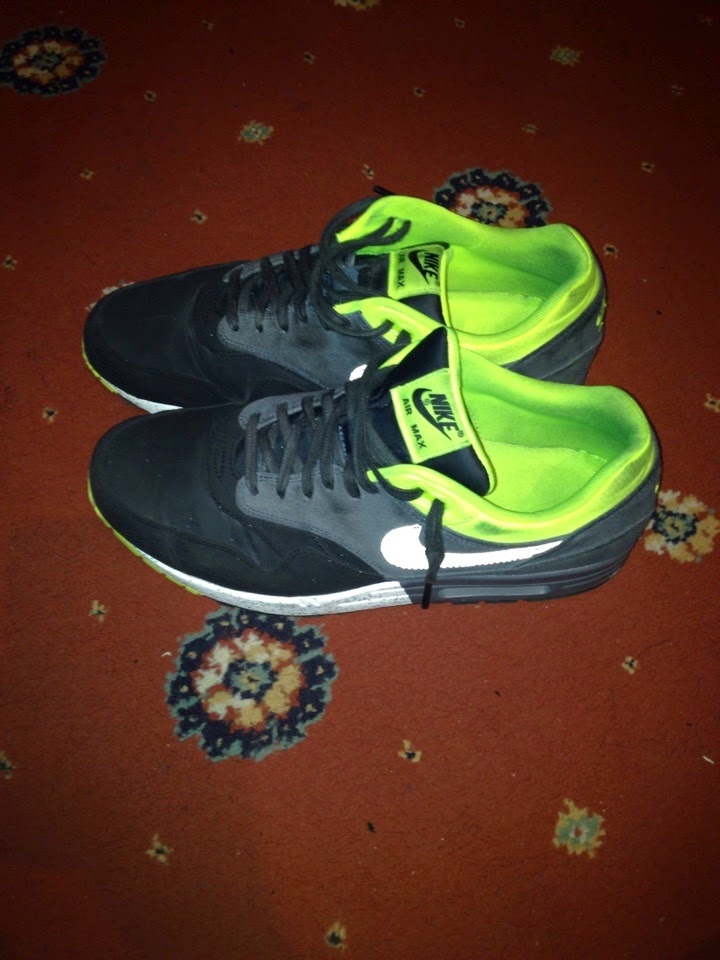
This footballer has a bright future, and has all the right boots, and all the good training gear. For example:
The two boys who are stalking the footballer will be wearing more casual and urban clothing. One will be wearing a matching black adidas tracksuit and one will be wearing jeans and a hoody.
Order of title credits!
There are many variations to how opening credits can be done, but here is the common order to opening title credits of a film!
1. NAME OF THE STUDIO- FILM4 STUDIOS- name of the studio that is distributing it, and may or may not have produced it.
2.NAME OF THE PRODUCTION COMPANY- SILVER PATCH PRODUCTIONS- name of the company that actually produced and made the film, or the name of the company that has invested.
3- PRODUCER NAME- A Bryan King Production
4-STARING- Darnell, Oliver, Samuel And Andrew
5- FILM'S TITLE- "CHEMISTRY"
6- FEATURING ACTORS- names of other actors who are featuring
7- CASTING or CASTING BY- Casting by Sarah Iiner
8-MUSIC- Music By Rosie Bailey
9-PRODUCTION DESIGNER- Chris Robson And James Dang
10- EDITED BY- Samuel Rinson
11- DIRECTOR OF PHOTOGRAPHY- Dan Mooney
12- PRODUCER- David Gee And Laura Ings
13-WRITTEN BY- Sean Wright
14-DIRECTED BY- John Williams
Different film types may vary from this structure, but this is the typical order!
1. NAME OF THE STUDIO- FILM4 STUDIOS- name of the studio that is distributing it, and may or may not have produced it.
2.NAME OF THE PRODUCTION COMPANY- SILVER PATCH PRODUCTIONS- name of the company that actually produced and made the film, or the name of the company that has invested.
3- PRODUCER NAME- A Bryan King Production
4-STARING- Darnell, Oliver, Samuel And Andrew
5- FILM'S TITLE- "CHEMISTRY"
6- FEATURING ACTORS- names of other actors who are featuring
7- CASTING or CASTING BY- Casting by Sarah Iiner
8-MUSIC- Music By Rosie Bailey
9-PRODUCTION DESIGNER- Chris Robson And James Dang
10- EDITED BY- Samuel Rinson
11- DIRECTOR OF PHOTOGRAPHY- Dan Mooney
12- PRODUCER- David Gee And Laura Ings
13-WRITTEN BY- Sean Wright
14-DIRECTED BY- John Williams
Different film types may vary from this structure, but this is the typical order!
How To Use Garage Band.- Darnell
1.Firstly when you open up garageband, you'll have to select a project. As a media student we are doing movies, so we should select either movies or loops.
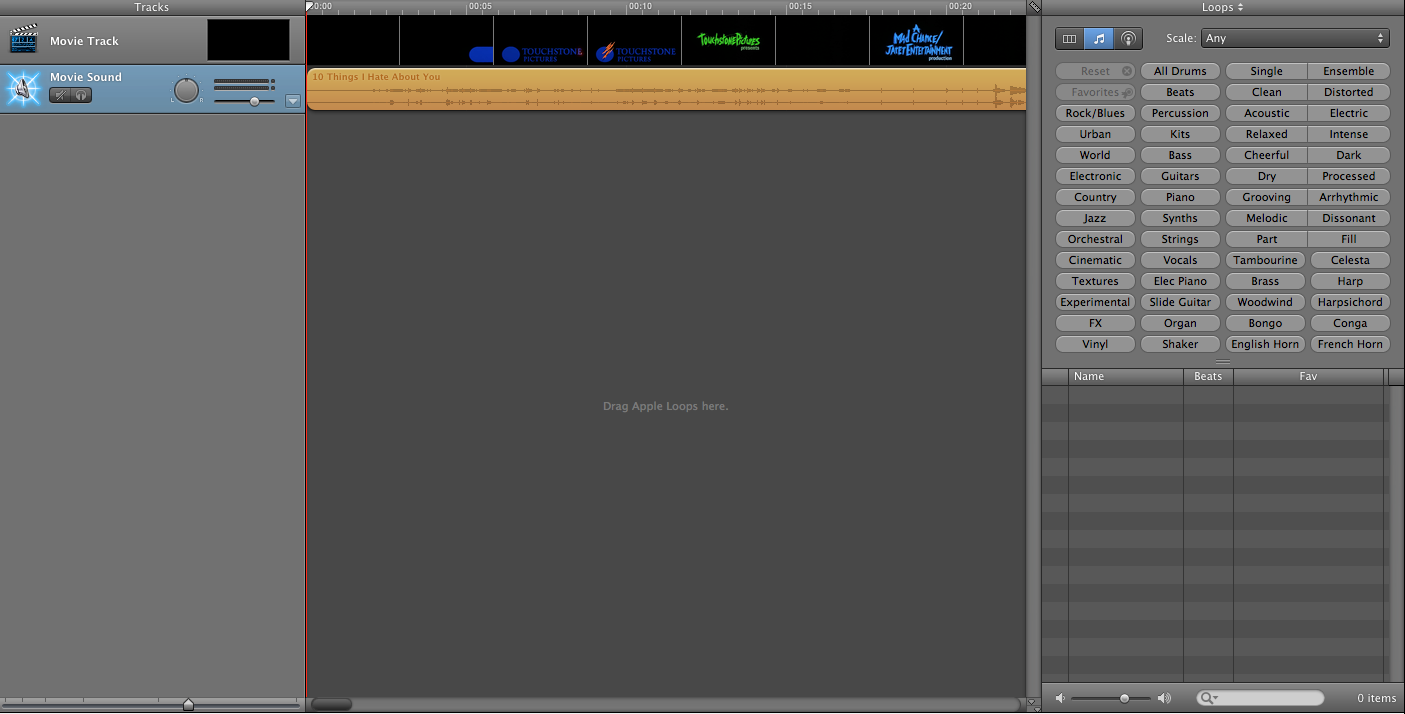
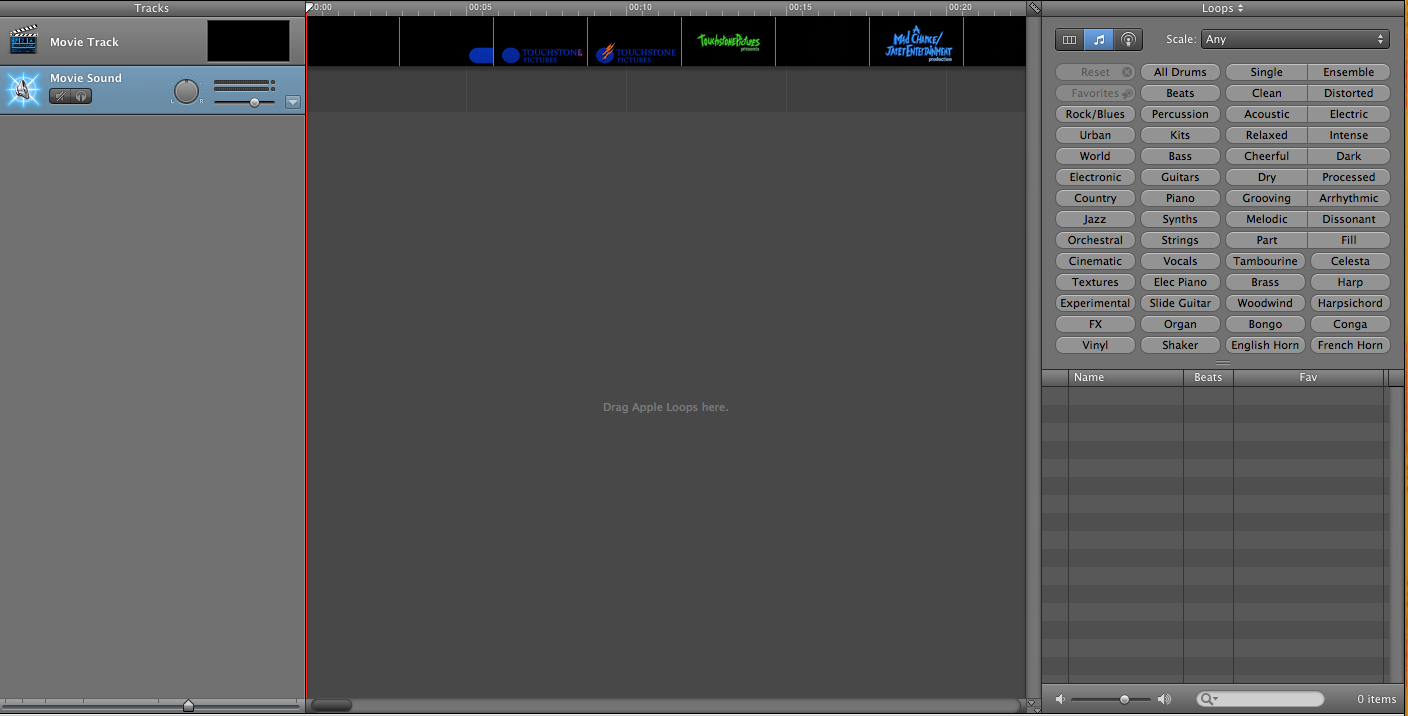
2. Once you have selected the project you would like to use, drag the movie clip you want to use into the middle, you should have a screen like this. 3. Delete the movies audio file, then drag sounds from garage band, to find the files click the little loop button at the bottom and your screen should appear like this.
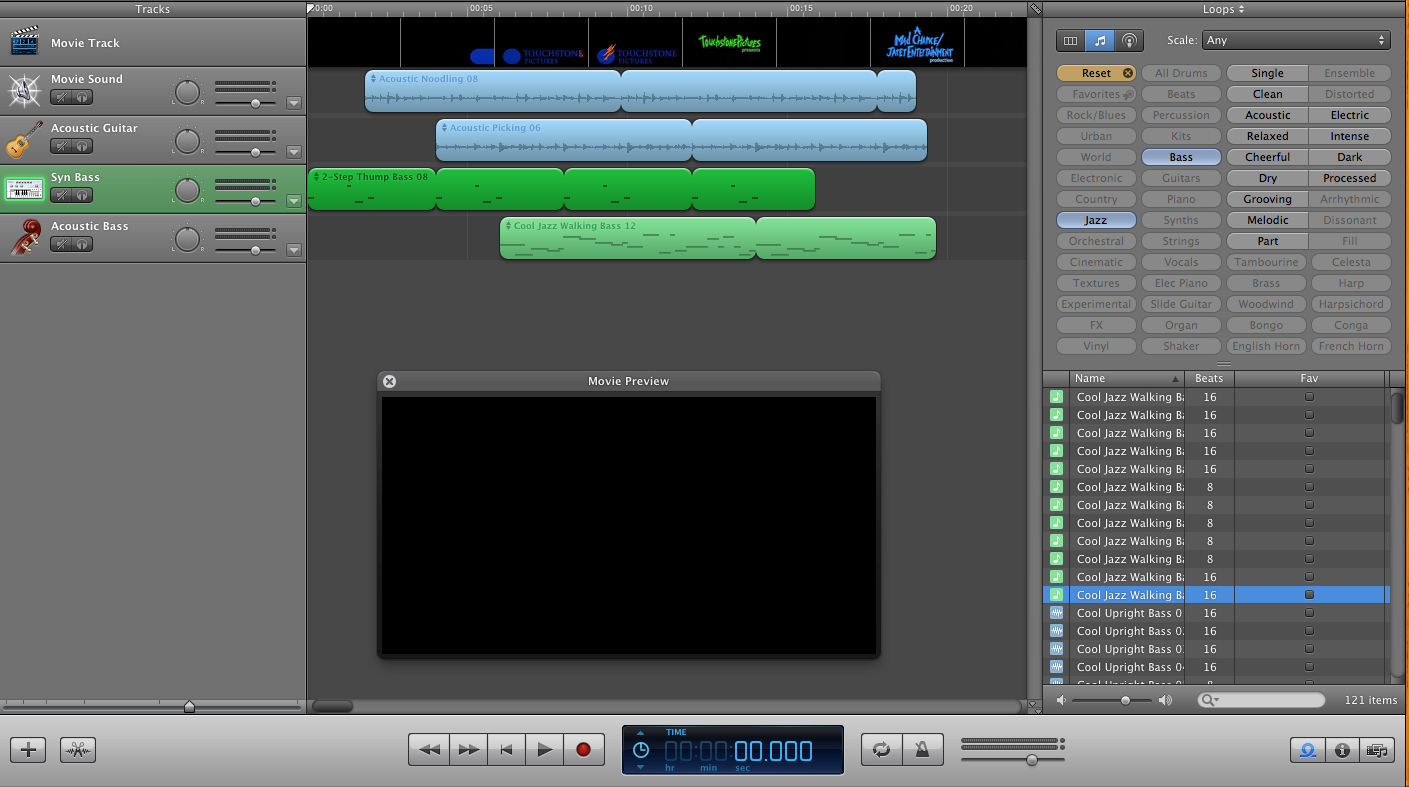
4.Drag your selected files into the middle to create a soundscape, to view your soundscape with to movie title press the little black screen on your dragged movie. Once you've pressed that your screen should appear like this.
5. Once you have finished your soundscape click 'file' and then click save, once you have saved your piece you then want to export it so you can use it as a file. You then click 'share' and then 'Export movie to disk' however once you select it make sure it says in the box 'expert setting'.
How To Use Garage Band
1- To create a sound track for a movie, when you open garage band you must select either 'loops' or 'movie' as the new project type.
2-If you have the movie or the footage then you should import it now and lay the track on top of it.
3-Once in garage band, you need to select the sounds, instruments and types of music you want to add to the track. You do this through the finder, by selecting the instrument, the mood and other categories to find the perfect sound.
4- Once you've found the sounds you want, you drag it onto the time line and adjust how long you want the loop to be from there. You can adjust the volume, and the length of the loop. You can add multiple layers to create a sound scape for the film!
2-If you have the movie or the footage then you should import it now and lay the track on top of it.
3-Once in garage band, you need to select the sounds, instruments and types of music you want to add to the track. You do this through the finder, by selecting the instrument, the mood and other categories to find the perfect sound.
4- Once you've found the sounds you want, you drag it onto the time line and adjust how long you want the loop to be from there. You can adjust the volume, and the length of the loop. You can add multiple layers to create a sound scape for the film!
Subscribe to:
Posts (Atom)